Project tracking that gets out of your way
Boards, lists, rich tasks, and team chat — one fast place to move work forward. Nothing slips, everyone stays in sync.
Plan it, track it, ship it
Serious enough to run the team on, light enough that getting started is a single keystroke.
Drop in the work
Create issues from the board, a chat message, or ⌘K — with sub-issues, labels, priorities, and due dates.
Move it through lanes
Sort into projects, cycles, and modules. Board or list, filtered and saved exactly the way your team works.
Get it across the line
Dashboards surface bottlenecks; My Work and Inbox keep everyone moving — without the weekly status meeting.
Everything your team needs to ship — in one place
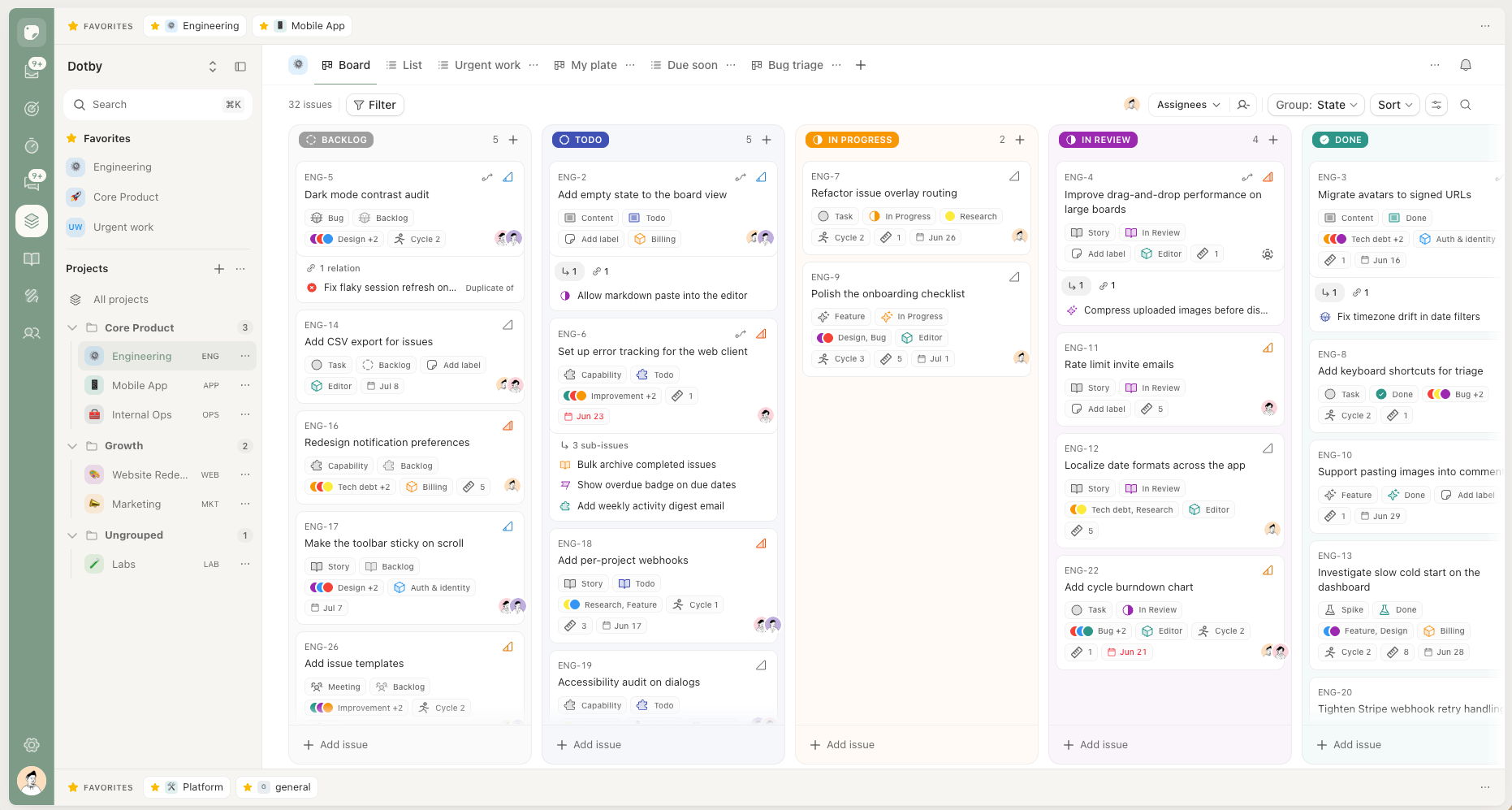
Board or list — one source of truth
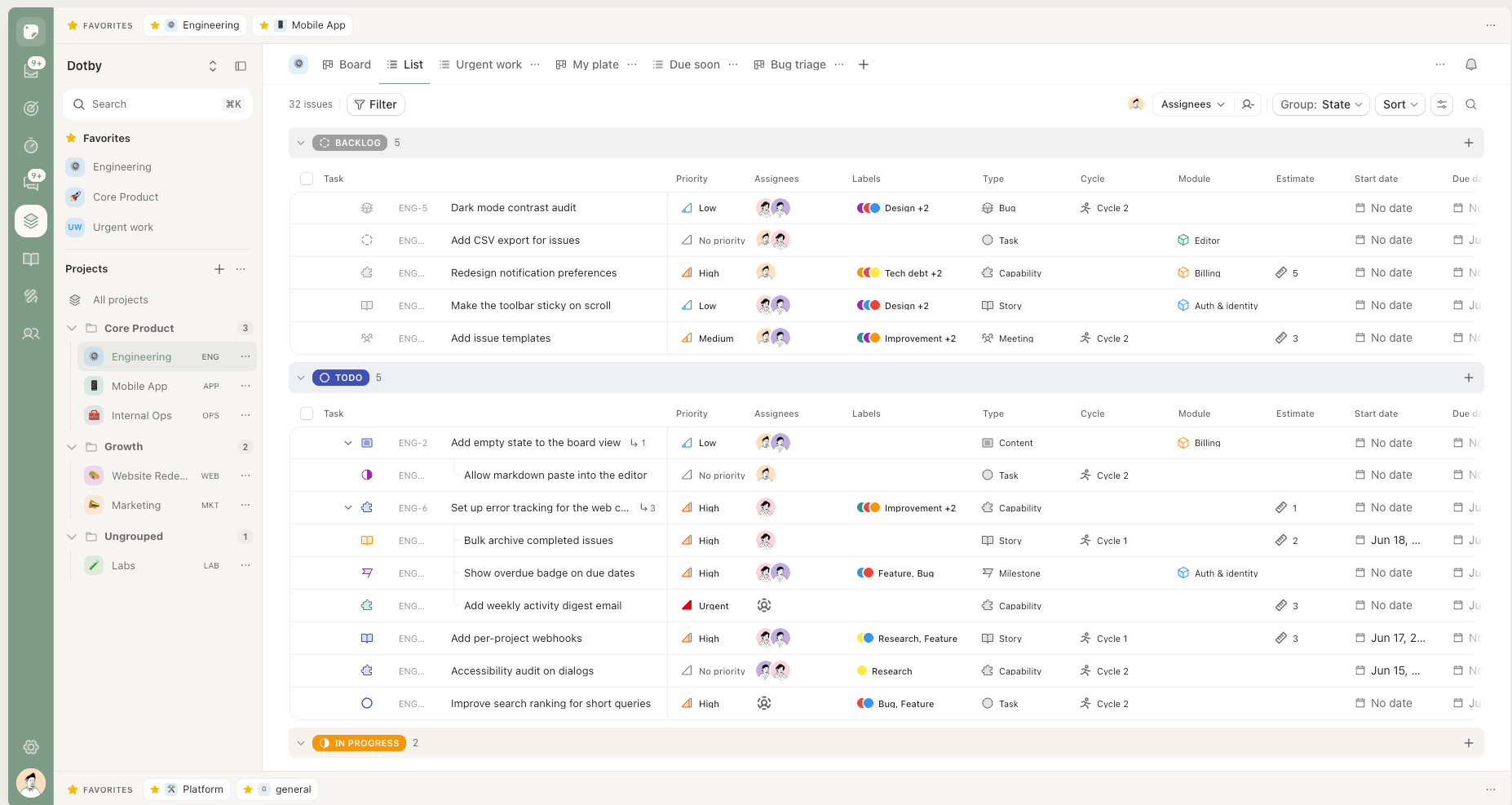
See your work as a kanban board or a dense list, and switch in a click. Every view stays perfectly in sync.
- Board or list — flip the same data between a drag-and-drop board and a sortable table.
- Saved views — filter once, save it, share the URL. Swimlanes and sub-grouping included.
- Bulk actions — multi-select and change state, assignee, or labels in one move.
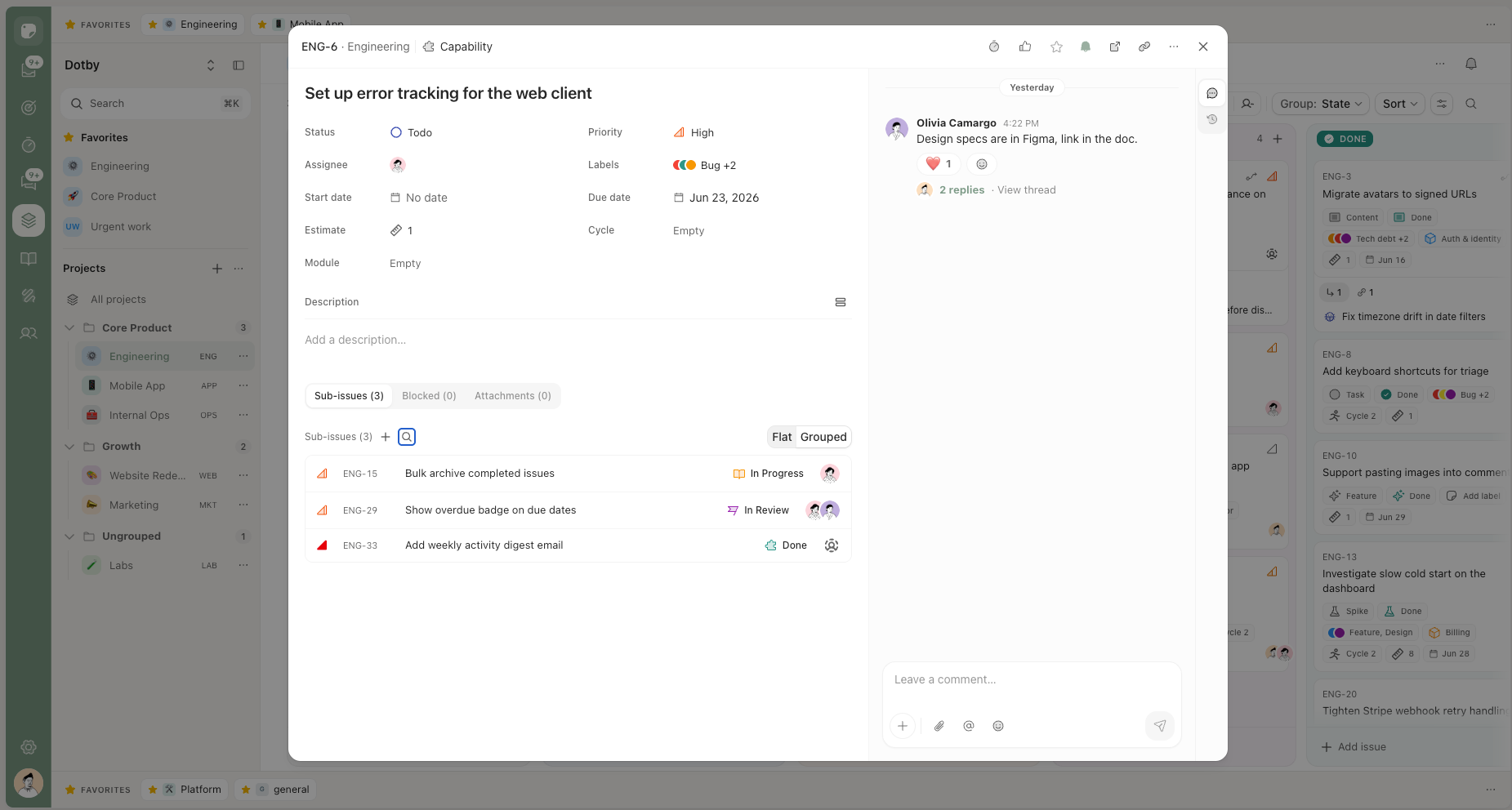
Every task, with the full story
Everything about a piece of work lives in one place, right where the team is looking.
- Sub-issues & relations — break work down; mark blocks, blocked-by, and duplicates.
- Rich detail — descriptions, attachments, reactions, and a full activity timeline.
- @mentions — pull the right people in; they hear about it in their inbox.
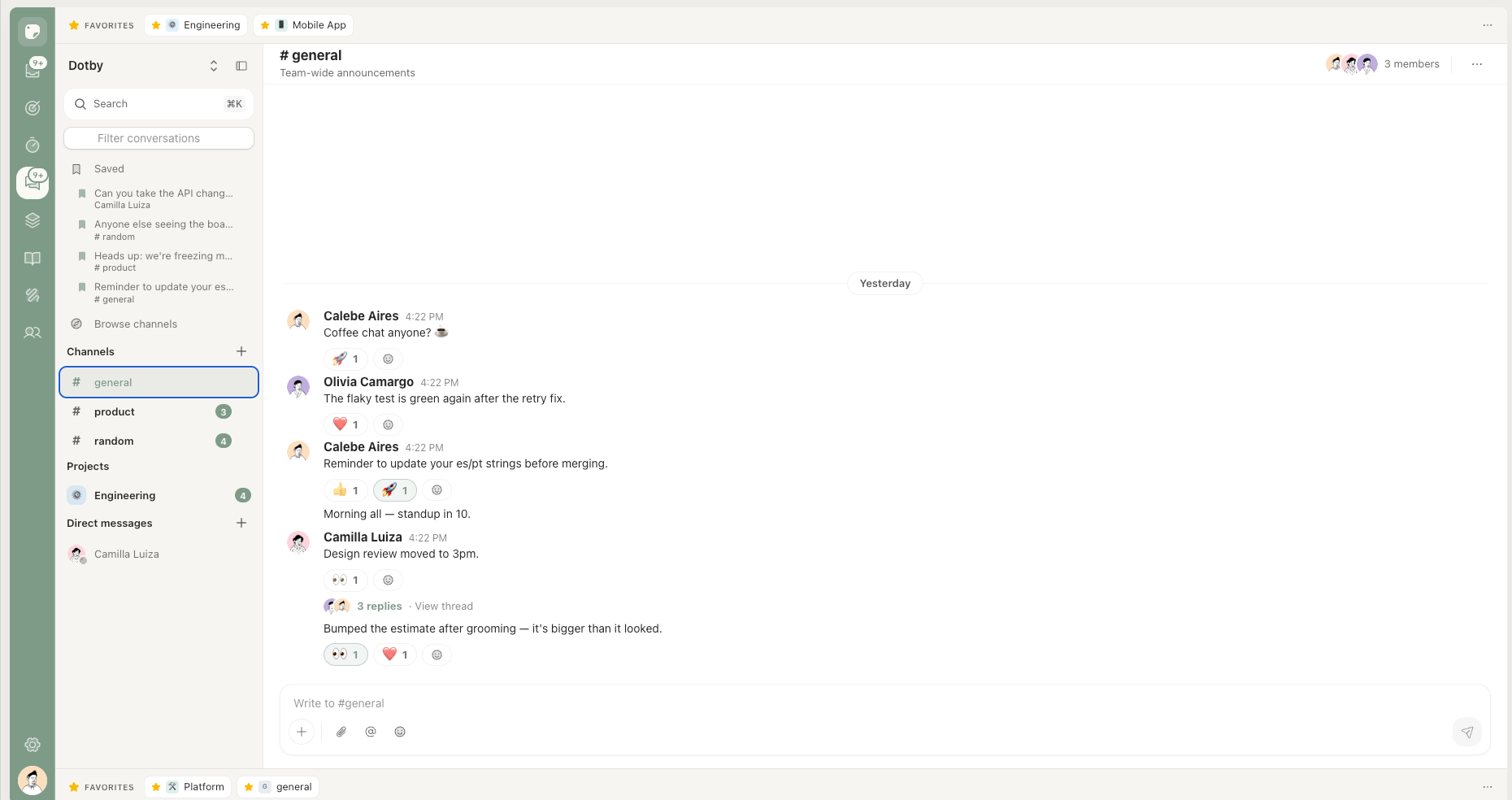
Talk where the work happens
Conversation sits next to the work, so context never gets stranded in another app.
- Channels, DMs & threads — every project gets a channel, provisioned automatically.
- Turn talk into work — create an issue from any message, context attached.
- Presence & reactions — see who is around, react, bookmark, catch up on unread.
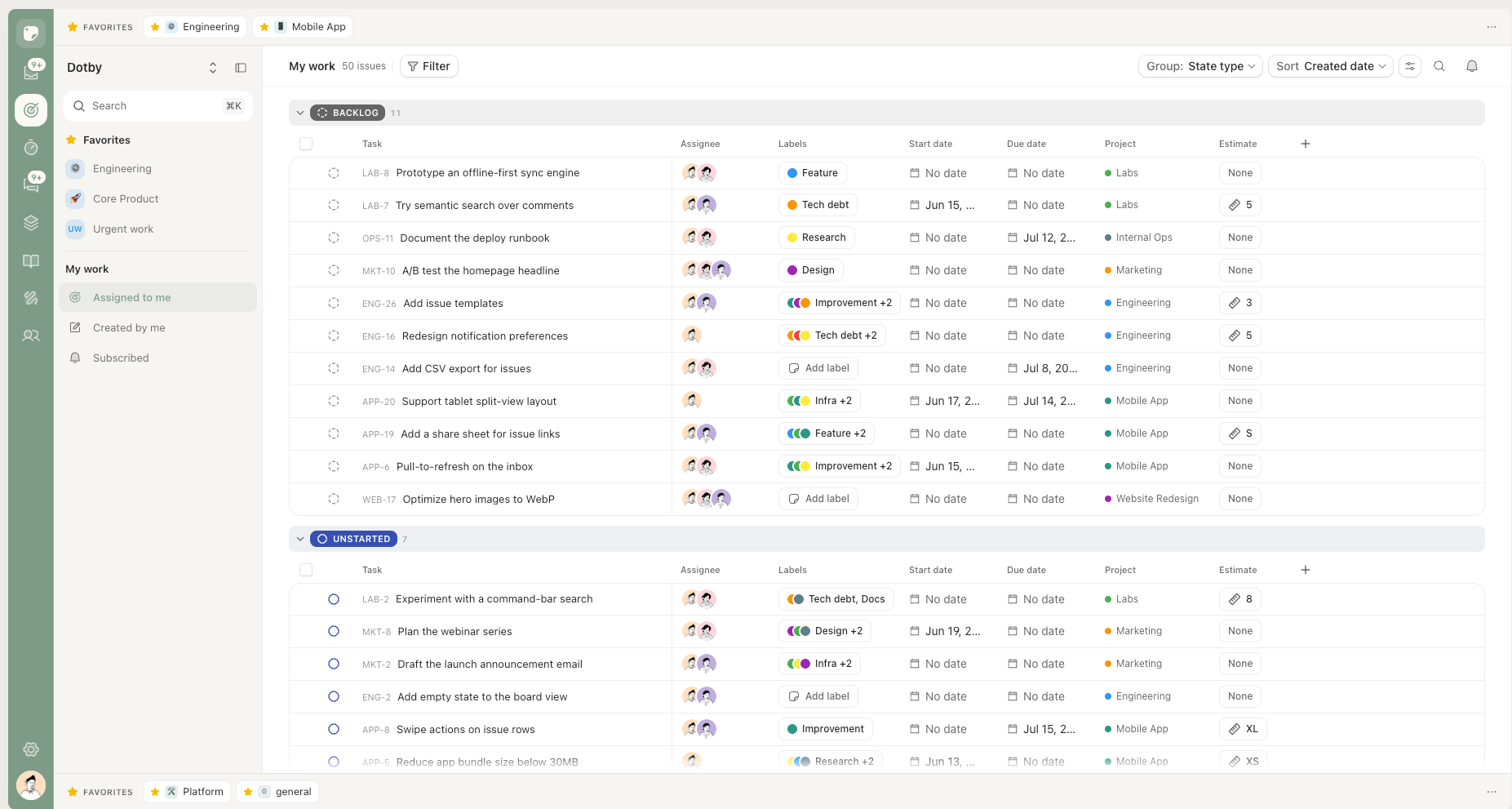
Your day, gathered for you
Everything assigned to you, across every project, in one focused list.
- Assigned, Created, Subscribed — three tabs that span every project.
- An inbox that triages — mentions, replies, and status changes you can snooze or archive.
- Always live — assign something elsewhere and it appears here without a refresh.
A whole tracker's worth of tools, out of the way
Cycles & modules
Plan in cadence and group work into modules — burndown and velocity built in.
Dashboards & analytics
Status, throughput, scope-creep, and workload — adaptive, with zero setup.
Time tracking & pay
A timer per issue, a per-activity rate matrix, and pay reports by currency.
Command palette
Keyboard-first: hit ⌘K to jump to anything and act without touching the mouse.
Roles & guests
Admin, manager, member, guest — plus unlimited free view-only guests.
Your language, your way
English, Spanish, Portuguese — with accent, density, and theme set per person.
dotby replaced three tools and a weekly status meeting. We just ship now.
